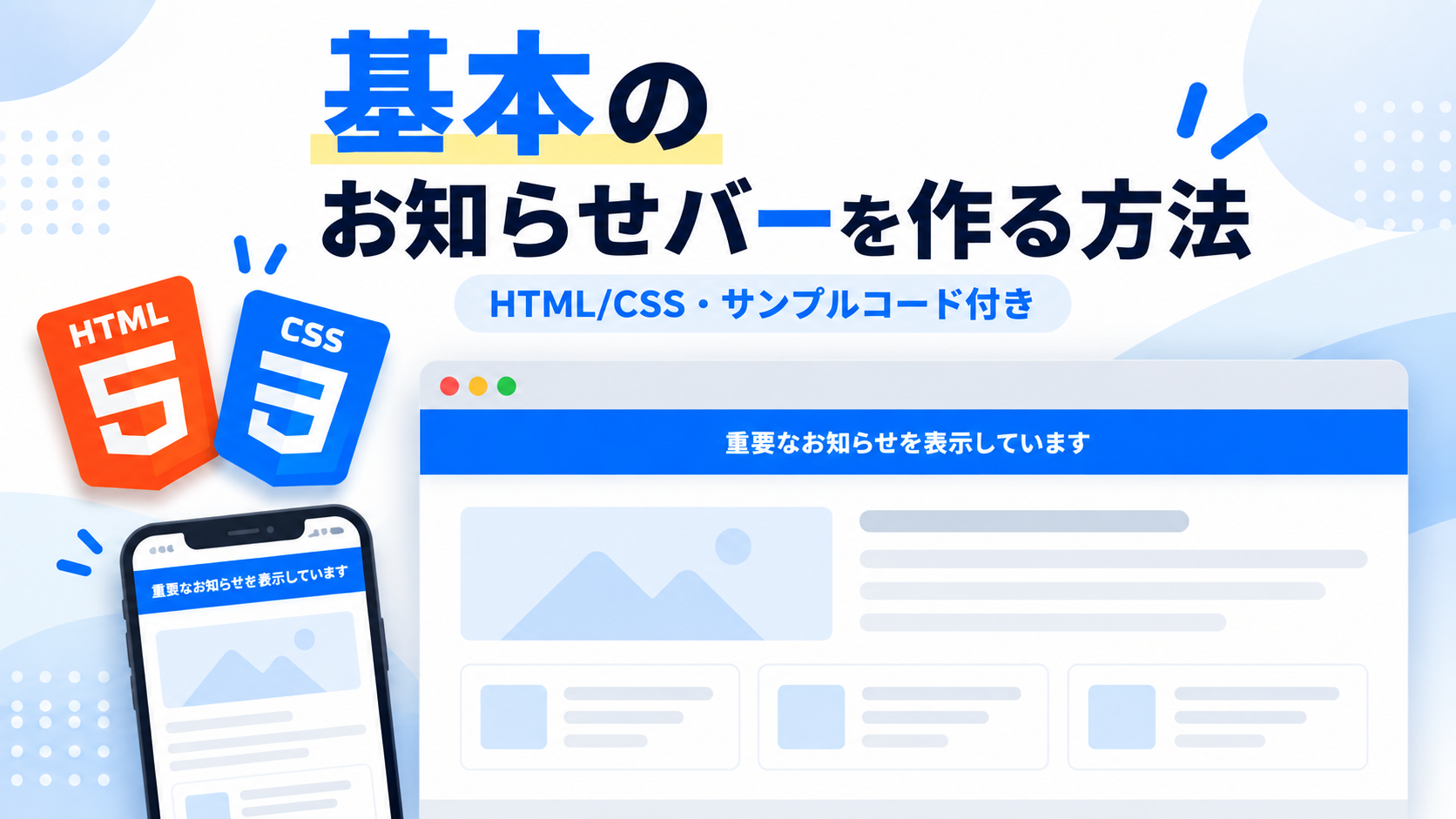
基本のお知らせバーを作る方法
基本のお知らせバーを作る方法を紹介します。このサンプルでは、ページを開くとブラウザの画面上部へ横幅いっぱいのお知らせバーが表示されます。HTMLでお知らせ内容を作成し、CSSで画面上部へ固定するシンプルな構成なので、お知らせバーの基本的な作り方を確認できます。
Webサイトの重要なお知らせ、メンテナンス情報、サービスに関する案内、キャンペーン情報など、利用者へ目立つ形で伝えたい情報の表示に利用できます。お知らせバーは画面上部へ固定されるため、ページをスクロールしても同じ位置に表示され、通常のページコンテンツとは分けて案内を見せることができます。
HTMLではお知らせバーに表示する文章を変更でき、CSSでは背景色、文字色、文字サイズ、内側の余白、影などを用途に合わせて調整できます。横幅は画面いっぱいに広がるため、スマートフォン・タブレット・PCでも利用できます。HTMLとCSSだけで作れるため、Webサイトへ基本的なお知らせバーを設置したい場合にも導入しやすいサンプルです。
免責事項 本コードの利用により発生した損害について、当サイトは一切の責任を負いません。
デモ
デモでは記事全体を覆わないよう、デモエリア内にお知らせバーの表示状態を再現しています。配布コードでは実際の画面上部に固定表示されます。
コードをコピーして使おう!
<!DOCTYPE html>
<html lang="ja">
<head>

  <!-- 文字コード -->
  <meta charset="UTF-8">

  <!-- スマートフォン対応 -->
  <meta name="viewport" content="width=device-width, initial-scale=1.0">

  <!-- ページタイトル -->
  <title>画面上部にお知らせバーを表示する</title>

  <!-- CSSファイル -->
  <link rel="stylesheet" href="style.css">

</head>
<body>

  <!-- サンプル全体 -->
  <div class="top-notice-bar_wrap">

    <!-- タイトル -->
    <div class="top-notice-bar_title">
      画面上部のお知らせバー
    </div>

    <!-- 説明文 -->
    <p class="top-notice-bar_text">
      ページを開くと、画面上部にお知らせバーが表示されます。
    </p>

  </div>

  <!-- 画面上部へ固定表示するお知らせバー -->
  <div class="top-notice-bar_notice">
    重要なお知らせを表示しています
  </div>

</body>
</html>サンプル一式を取得する場合 HTML・CSSなどすべてのファイルが必要な場合は、「サンプル一式をダウンロード」をクリックしてください。
Q ダウンロードしたけど、これをネット上で動かすにはどうするの?
Googleアカウントがあれば、InfinityFreeで無料サーバーを作成して、ダウンロードしたサンプルをネット上で動かせます。
InfinityFreeを初めて利用する場合は①から、すでにサーバーを作成している場合は②へ進んでください。
ファイル構成と設置方法
このサンプルはHTMLとCSSの2ファイルで構成されています。HTMLでは画面上部へ表示するお知らせの文章とサンプルエリアを作成し、CSSではお知らせバーを画面上部へ固定する位置、横幅、余白、背景色、文字色、影などを設定します。JavaScriptを使用せず、ページを開いた時点からお知らせバーが表示される構成です。
sample/
├── index.html
└── style.css
各ファイルの役割
index.htmlはお知らせバーとサンプルエリアを構成するファイルです。「重要なお知らせを表示しています」の部分を変更すると、画面上部に表示するお知らせ内容を変更できます。
style.cssはサンプル全体とお知らせバーのデザインを設定するファイルです。お知らせバーの固定位置、余白、背景色、文字色、文字サイズ、影などを変更できます。
設置方法・使い方
sampleフォルダへindex.htmlとstyle.cssを配置します。2つのファイルを同じ階層へ保存したあと、sample/index.htmlをブラウザで開いてください。ページを開くと、画面上部にお知らせバーが表示されます。お知らせバーには閉じる機能や自動で非表示になる処理はなく、ページを表示している間は画面上部へ固定された状態になります。
カスタマイズできる内容
index.htmlでは、お知らせバーに表示する文章やサンプルエリアのタイトル、説明文を変更できます。style.cssでは、お知らせバーの背景色、文字色、文字サイズ、内側余白、影などを変更できます。また、サンプルエリアの最大横幅、余白、角丸、背景色なども用途に合わせて調整できます。
数値調整
style.css
max-width:700px;
サンプル全体の最大横幅です。値を大きくすると横に広がり、小さくするとコンパクトになります。
margin:40px auto;
サンプル全体の上下余白です。40pxを大きくすると上下の間隔が広がり、小さくすると狭くなります。
padding:32px;
サンプル全体の内側余白です。値を大きくすると内容と枠線の間隔が広がり、小さくすると狭くなります。
border:1px solid #e5e7eb;
サンプル全体の枠線です。1pxを大きくすると枠線が太くなり、小さくすると細くなります。
border-radius:18px;
サンプル全体の角丸です。値を大きくすると丸みが強くなり、0にすると四角になります。
font-size:22px;
サンプルエリアのタイトル文字サイズです。値を大きくすると文字が大きくなり、小さくすると控えめになります。
top:0;
お知らせバーを画面上端から配置する位置です。0では画面上端へ密着して表示され、値を大きくすると上端から下へ離れます。
z-index:9999;
お知らせバーの重なり順です。サイト内のほかの固定要素と重なる場合は、表示したい前後関係に合わせて調整します。
padding:14px 20px;
お知らせバーの内側余白です。上下の14pxを大きくするとバーが高くなり、左右の20pxを大きくすると文章と画面端の間隔が広がります。
font-size:16px;
お知らせバーの文字サイズです。値を大きくすると文字が大きくなり、小さくすると控えめになります。
box-shadow:0 8px 20px rgba(0,0,0,.15);
お知らせバーの下側へ表示する影です。8pxや20pxを大きくすると影の位置や広がりが大きくなり、小さくすると控えめになります。
レスポンシブ対応
このサンプルはレスポンシブ対応です。style.cssのwidth:100%とmax-width:700pxによってサンプルエリアが画面幅に合わせて縮小され、お知らせバーはwidth:100%で画面の横幅いっぱいに表示されます。また、640px以下ではサンプルエリアをpadding:24px 18px;、お知らせバーをpadding:12px 16px;とfont-size:14px;へ変更しているため、スマートフォン・タブレット・PCで利用できます。
.png)
コメント