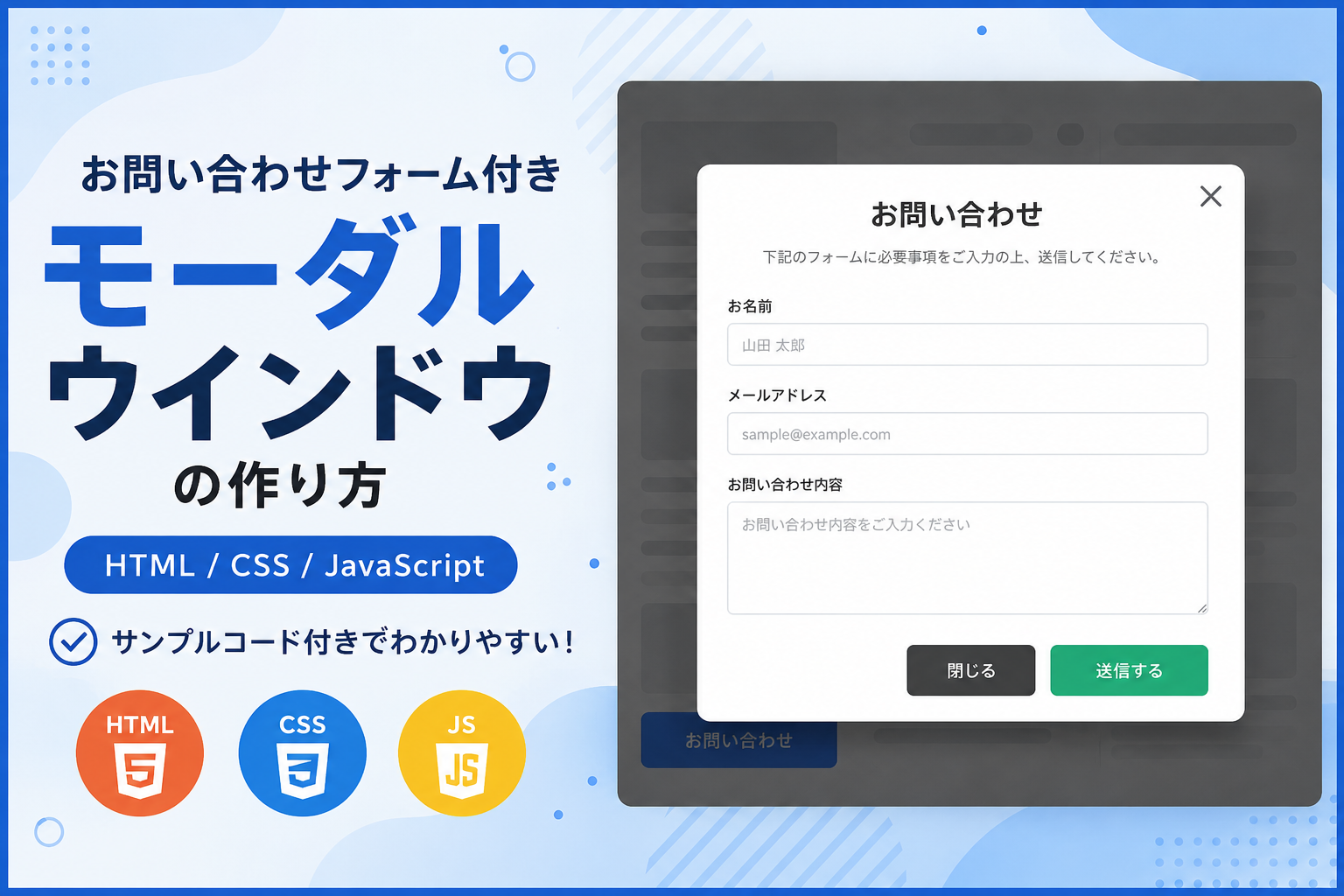
お問い合わせフォーム付きモーダルウインドウの作り方
お問い合わせフォーム付きモーダルウインドウの作り方を紹介します。このサンプルでは、ボタンをクリックするとモーダルウインドウが表示され、その中に名前・メールアドレス・お問い合わせ内容を入力できるフォームを配置しています。ページ遷移をせずに入力フォームを表示できるため、ユーザーが現在の画面を離れることなくお問い合わせを行えるレイアウトを実装できます。
HTML・CSS・JavaScriptのみで実装しているため、ライブラリを使用せずそのまま導入できます。お問い合わせページだけでなく、サービス紹介ページや商品ページ、会員サイト、管理画面など、必要なタイミングで入力フォームを表示したい場面にも利用できます。モーダルの開閉や背景クリックによる閉じる動作も含まれているため、実際のWebサイトへ組み込みやすい構成です。
フォームの項目名やボタンの文字、モーダルのサイズ、色、余白などは自由に変更できます。デモ・提供コード・ダウンロードできるサンプルはすべて同じ仕様となっているため、動作を確認しながらカスタマイズしやすいサンプルです。スマートフォン・タブレット・PCでもレイアウトが崩れにくく、レスポンシブ対応のフォーム付きモーダルウインドウとして利用できます。
免責事項 本コードの利用により発生した損害について、当サイトは一切の責任を負いません。
デモ
ボタンをクリックすると、モーダルウインドウ内にお問い合わせフォームを表示します。
「お問い合わせ」をクリックするとフォームが表示されます。必須項目を入力して「送信する」をクリックすると、デモ用メッセージが表示されます。
コードをコピーして使おう!
<!DOCTYPE html>
<html lang="ja">
<head>

  <!-- 文字コード -->
  <meta charset="UTF-8">

  <!-- スマートフォン表示対応 -->
  <meta name="viewport" content="width=device-width, initial-scale=1.0">

  <!-- ページタイトル -->
  <title>お問い合わせフォーム付きモーダルウインドウ</title>

  <!-- CSSファイルを読み込み -->
  <link rel="stylesheet" href="style.css">

</head>
<body>

  <!--
  ==================================================
  このサンプルについて
  ==================================================

  このサンプルはHTML・CSS・JavaScriptのみで
  ログインフォーム付きモーダルウインドウを表示するサンプルです。

  PHPと組み合わせてログイン機能を実装する場合

  ・formタグのaction属性へ送信先PHPを指定してください。
  ・method属性をpostへ変更してください。
  ・name属性(email・password)はPHPで受け取る項目名として利用できます。

  例

  action="login.php"
  method="post"

  認証処理・パスワード照合・セッション管理・
  ログイン状態の保持などはPHP側で実装してください。

  ==================================================
  -->

  <!-- お問い合わせモーダルを開く操作エリア -->
  <div class="contact-form-modal-window_wrap">

    <!-- 操作エリアのタイトル -->
    <div class="contact-form-modal-window_title">
      お問い合わせフォーム
    </div>

    <!-- 操作エリアの説明文 -->
    <p class="contact-form-modal-window_text">
      ボタンをクリックすると、モーダルウインドウ内にお問い合わせフォームを表示します。
    </p>

    <!-- お問い合わせモーダルを開くボタン -->
    <button
      class="contact-form-modal-window_open"
      type="button"
      data-contact-form-modal-window-open>
      お問い合わせ
    </button>

  </div>

  <!-- モーダル背景 -->
  <div
    class="contact-form-modal-window_overlay"
    data-contact-form-modal-window-overlay>

    <!-- モーダル本体 -->
    <div
      class="contact-form-modal-window_modal"
      role="dialog"
      aria-modal="true"
      aria-labelledby="contact-form-modal-window-title">

      <!-- モーダルを閉じるボタン -->
      <button
        class="contact-form-modal-window_close"
        type="button"
        data-contact-form-modal-window-close
        aria-label="閉じる">
        ×
      </button>

      <!-- モーダルタイトル -->
      <div
        class="contact-form-modal-window_modal-title"
        id="contact-form-modal-window-title">
        お問い合わせ
      </div>

      <!-- お問い合わせフォーム -->
      <form
        class="contact-form-modal-window_form"
        data-contact-form-modal-window-form>

        <!-- お名前入力欄 -->
        <div class="contact-form-modal-window_field">

          <!-- お名前ラベル -->
          <label
            class="contact-form-modal-window_label"
            for="contact-form-modal-window-name">
            お名前
            <span class="contact-form-modal-window_required">必須</span>
          </label>

          <!-- お名前入力フォーム -->
          <input
            class="contact-form-modal-window_input"
            id="contact-form-modal-window-name"
            name="name"
            type="text"
            autocomplete="name"
            required>

        </div>

        <!-- メールアドレス入力欄 -->
        <div class="contact-form-modal-window_field">

          <!-- メールアドレスラベル -->
          <label
            class="contact-form-modal-window_label"
            for="contact-form-modal-window-email">
            メールアドレス
            <span class="contact-form-modal-window_required">必須</span>
          </label>

          <!-- メールアドレス入力フォーム -->
          <input
            class="contact-form-modal-window_input"
            id="contact-form-modal-window-email"
            name="email"
            type="email"
            autocomplete="email"
            required>

        </div>

        <!-- お問い合わせ内容入力欄 -->
        <div class="contact-form-modal-window_field">

          <!-- お問い合わせ内容ラベル -->
          <label
            class="contact-form-modal-window_label"
            for="contact-form-modal-window-message">
            お問い合わせ内容
            <span class="contact-form-modal-window_required">必須</span>
          </label>

          <!-- お問い合わせ内容入力フォーム -->
          <textarea
            class="contact-form-modal-window_textarea"
            id="contact-form-modal-window-message"
            name="message"
            required></textarea>

        </div>

        <!-- 送信ボタン -->
        <button
          class="contact-form-modal-window_submit"
          type="submit">
          送信する
        </button>

        <!-- デモ用の送信結果メッセージ -->
        <p
          class="contact-form-modal-window_notice"
          data-contact-form-modal-window-notice
          role="status">
          デモのため、入力内容は送信されません。
        </p>

      </form>

    </div>

  </div>

  <!-- JavaScriptファイルを読み込み -->
  <script src="script.js"></script>

</body>
</html>サンプル一式を取得する場合 HTML・CSSなどすべてのファイルが必要な場合は、「サンプル一式をダウンロード」をクリックしてください。
Q ダウンロードしたけど、これをネット上で動かすにはどうするの?
Googleアカウントがあれば、InfinityFreeで無料サーバーを作成して、ダウンロードしたサンプルをネット上で動かせます。
InfinityFreeを初めて利用する場合は①から、すでにサーバーを作成している場合は②へ進んでください。
ファイル構成と設置方法
このサンプルはHTML・CSS・JavaScriptの3ファイルで構成されています。HTMLにはお問い合わせフォーム付きモーダルウインドウの構造、CSSにはフォームとモーダルのデザイン、JavaScriptにはモーダルの開閉処理を記述しています。現在のコードにはお問い合わせ内容を送信する処理は含まれておらず、画面表示とモーダルの動作確認を目的としたサンプルです。
PHPと組み合わせて実際のお問い合わせフォームとして利用する場合は、index.htmlのform要素に送信先PHPを指定し、method属性をpostへ変更します。お名前・メールアドレス・お問い合わせ内容にはname属性が設定されているため、PHP側ではPOSTデータとして受け取れます。メール送信や入力チェック、保存処理などは送信先PHPで実装してください。
このサンプルはお問い合わせフォームの見た目とモーダル開閉を確認するためのコードです。PHPと組み合わせる場合も、HTML・CSS・JavaScriptの構成はそのまま利用でき、フォームのaction属性とmethod属性を変更することで送信処理へ接続できます。
sample/
├── index.html
├── style.css
└── script.js
各ファイルの役割
index.html はお問い合わせフォーム、モーダル本体、開くボタン、閉じるボタンを配置します。PHPと組み合わせる場合は、form要素のaction属性へ送信先PHPを指定し、method属性をpostへ変更します。お名前はname=”name”、メールアドレスはname=”email”、お問い合わせ内容はname=”message”としてPHP側で受け取れます。
style.css はモーダルの横幅、背景色、余白、角丸、影、入力欄、送信ボタンなどのデザインを管理します。PHPと組み合わせた場合でも、このファイルはそのまま利用できます。
script.js はモーダルを開く処理、閉じるボタンで閉じる処理、背景クリックで閉じる処理を管理します。デモでは送信ボタン押下時の表示のみを行い、実際のお問い合わせ送信処理は行いません。
設置方法・使い方
sampleフォルダへindex.html、style.css、script.jsを配置し、sample/index.htmlをブラウザで開くと動作を確認できます。「お問い合わせ」ボタンをクリックするとモーダルウインドウが開き、「×」ボタンまたは背景部分をクリックすると閉じます。
PHPと組み合わせる場合は、index.htmlのform要素を次のように変更します。
action=”#”
method=”get”
を、
action=”contact.php”
method=”post”
へ変更します。送信先のcontact.phpでは、name・email・messageを受け取り、入力チェックやメール送信、データ保存などの処理を実装してください。
カスタマイズできる内容
index.htmlではタイトル、説明文、ボタン名、お名前欄、メールアドレス欄、お問い合わせ内容欄、送信先PHPを変更できます。style.cssではモーダルの横幅、背景色、入力欄の余白、角丸、影、ボタン色などを変更できます。script.jsではモーダルの開閉処理を編集できます。
数値調整
style.cssのmax-width:560px;を変更するとモーダルの最大横幅が変わります。padding:32px;を変更するとモーダル内部の余白が変わります。gap:20px;を変更すると入力欄同士の間隔が変わります。min-height:140px;を変更するとお問い合わせ内容入力欄の高さが変わります。animation:.3s;の0.3秒を変更するとモーダル表示アニメーションの速度が変わります。
レスポンシブ対応
style.cssではwidth:100%、max-width、max-height:90vh、padding、@media (max-width:640px)を使用してレスポンシブ対応しています。スマートフォンではモーダルや操作エリアの余白が縮小され、タブレットやPCでは最大横幅を保ったまま中央へ表示されます。
.png)
コメント