モーダルウインドウのアニメーション5選 vol.2【HTML/CSS/JavaScript・サンプルコード付き】
 html/css/js
2025.09.22
モーダルウインドウのアニメーション5選 vol.2
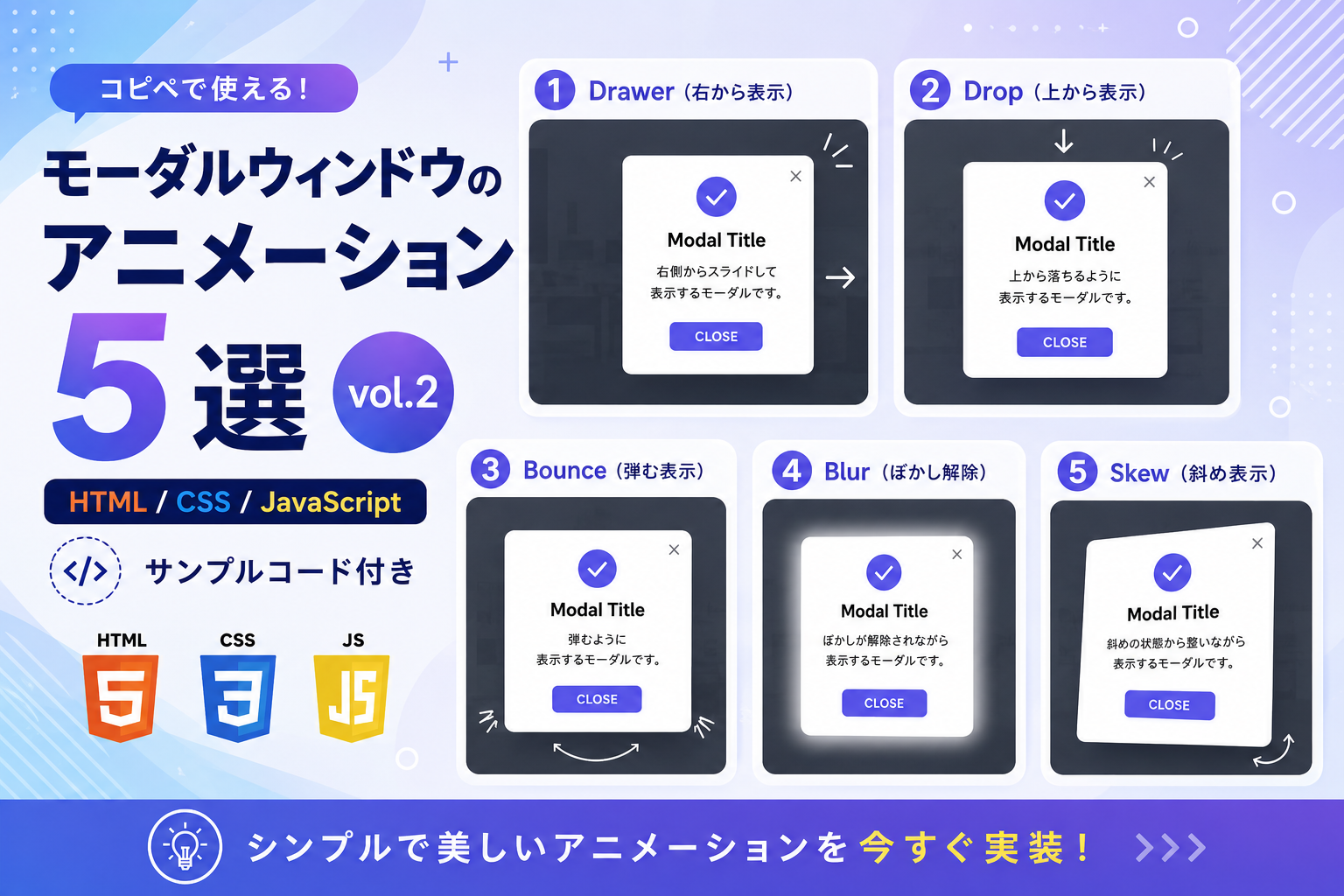
HTML・CSS・JavaScriptを使って、モーダルウインドウのアニメーション5種類を実装する方法を紹介します。このサンプルでは、Drawer・Drop・Bounce・Blur・Skew の表示アニメーションを確認できます。通常のモーダルとは違う動きを付けたい場合や、サイトの雰囲気に合わせて表示演出を選びたい場合に利用できます。
コードについて
本記事のコードはサンプルコードです。ご利用前に必ず動作確認を行ってください。
免責事項
本コードの利用により発生した損害について、当サイトは一切の責任を負いません。
デモ
① Drawer(右から表示)
② Drop(上から表示)
③ Bounce(弾む表示)
④ Blur(ぼかし解除)
⑤ Skew(斜め表示)
モーダルタイトル
モーダル本文が入ります。
コードをコピーして使おう!
<!DOCTYPE html>
<html lang="ja">
<head>
  <meta charset="UTF-8">
  <meta name="viewport" content="width=device-width, initial-scale=1.0">
  <title>モーダルウインドウのアニメーション5選 vol.2</title>
  <link rel="stylesheet" href="style.css">
</head>
<body>

  <!-- ① Drawer -->
  <section class="modal-animation-vol2_block">
    <h2>① Drawer(右から表示)</h2>
    <button class="modal-animation-vol2_button" type="button" data-modal-open="drawer">
      Drawer モーダルを開く
    </button>
  </section>

  <!-- ② Drop -->
  <section class="modal-animation-vol2_block">
    <h2>② Drop(上から表示)</h2>
    <button class="modal-animation-vol2_button" type="button" data-modal-open="drop">
      Drop モーダルを開く
    </button>
  </section>

  <!-- ③ Bounce -->
  <section class="modal-animation-vol2_block">
    <h2>③ Bounce(弾む表示)</h2>
    <button class="modal-animation-vol2_button" type="button" data-modal-open="bounce">
      Bounce モーダルを開く
    </button>
  </section>

  <!-- ④ Blur -->
  <section class="modal-animation-vol2_block">
    <h2>④ Blur(ぼかし解除)</h2>
    <button class="modal-animation-vol2_button" type="button" data-modal-open="blur">
      Blur モーダルを開く
    </button>
  </section>

  <!-- ⑤ Skew -->
  <section class="modal-animation-vol2_block">
    <h2>⑤ Skew(斜め表示)</h2>
    <button class="modal-animation-vol2_button" type="button" data-modal-open="skew">
      Skew モーダルを開く
    </button>
  </section>

  <!-- モーダル -->
  <div class="modal-animation-vol2_overlay" data-modal-overlay>

    <div class="modal-animation-vol2_modal" data-modal-box role="dialog" aria-modal="true">

      <div class="modal-animation-vol2_modal-title" data-modal-title>
        モーダルタイトル
      </div>

      <p class="modal-animation-vol2_modal-text" data-modal-text>
        モーダル本文です。
      </p>

      <button class="modal-animation-vol2_close" type="button" data-modal-close>
        閉じる
      </button>

    </div>

  </div>

  <script src="script.js"></script>

</body>
</html>
/* ページ全体 */
body{

  margin:0;
  font-family:sans-serif;
  background:#ffffff;
  color:#111827;

}

/* サンプルブロック */
.modal-animation-vol2_block{

  max-width:700px;
  margin:24px auto;
  padding:28px;
  border:1px solid #e5e7eb;
  border-radius:18px;
  background:#f8fafc;
  text-align:center;

}

/* ボタン */
.modal-animation-vol2_button,
.modal-animation-vol2_close{

  padding:10px 20px;
  border:none;
  border-radius:8px;
  background:#0b6bff;
  color:#ffffff;
  font-weight:700;
  cursor:pointer;

}

/* 閉じるボタン */
.modal-animation-vol2_close{

  background:#111827;

}

/* 背景 */
.modal-animation-vol2_overlay{

  display:none;
  position:fixed;
  inset:0;
  z-index:9999;
  background:rgba(0,0,0,0.5);
  align-items:center;
  justify-content:center;
  padding:20px;

}

/* 表示 */
.modal-animation-vol2_overlay.is-active{

  display:flex;

}

/* モーダル */
.modal-animation-vol2_modal{

  width:100%;
  max-width:430px;
  padding:28px;
  border-radius:18px;
  background:#ffffff;
  text-align:left;
  box-shadow:0 20px 40px rgba(0,0,0,0.2);

}

/* タイトル */
.modal-animation-vol2_modal-title{

  font-size:22px;
  font-weight:700;
  margin-bottom:12px;

}

/* 本文 */
.modal-animation-vol2_modal-text{

  margin-bottom:24px;
  line-height:1.8;
  color:#4b5563;

}

/* ① Drawer */
.modal-animation-vol2_overlay.is-active.drawer .modal-animation-vol2_modal{

  animation:modalDrawer 0.45s ease forwards;

}

/* ② Drop */
.modal-animation-vol2_overlay.is-active.drop .modal-animation-vol2_modal{

  animation:modalDrop 0.45s ease forwards;

}

/* ③ Bounce */
.modal-animation-vol2_overlay.is-active.bounce .modal-animation-vol2_modal{

  animation:modalBounce 0.5s ease forwards;

}

/* ④ Blur */
.modal-animation-vol2_overlay.is-active.blur .modal-animation-vol2_modal{

  animation:modalBlur 0.45s ease forwards;

}

/* ⑤ Skew */
.modal-animation-vol2_overlay.is-active.skew .modal-animation-vol2_modal{

  animation:modalSkew 0.45s ease forwards;

}

/* Drawer */
@keyframes modalDrawer{

  from{

    opacity:0;
    transform:translateX(40px);

  }

  to{

    opacity:1;
    transform:translateX(0);

  }

}

/* Drop */
@keyframes modalDrop{

  0%{

    opacity:0;
    transform:translateY(-40px);

  }

  70%{

    opacity:1;
    transform:translateY(8px);

  }

  100%{

    opacity:1;
    transform:translateY(0);

  }

}

/* Bounce */
@keyframes modalBounce{

  0%{

    opacity:0;
    transform:scale(0.85);

  }

  60%{

    opacity:1;
    transform:scale(1.05);

  }

  100%{

    opacity:1;
    transform:scale(1);

  }

}

/* Blur */
@keyframes modalBlur{

  from{

    opacity:0;
    filter:blur(8px);

  }

  to{

    opacity:1;
    filter:blur(0);

  }

}

/* Skew */
@keyframes modalSkew{

  from{

    opacity:0;
    transform:skewY(8deg);

  }

  to{

    opacity:1;
    transform:skewY(0);

  }

}
// モーダルを開くボタンをすべて取得します
const modalButtons=document.querySelectorAll('[data-modal-open]');

// モーダル背景を取得します
const modalOverlay=document.querySelector('[data-modal-overlay]');

// モーダルを閉じるボタンを取得します
const modalClose=document.querySelector('[data-modal-close]');

// モーダルタイトルを取得します
const modalTitle=document.querySelector('[data-modal-title]');

// モーダル本文を取得します
const modalText=document.querySelector('[data-modal-text]');

// アニメーションごとの表示内容です
const modalData={
  drawer:{
    title:'① Drawer モーダル',
    text:'右側からスライドして表示するモーダルです。'
  },
  drop:{
    title:'② Drop モーダル',
    text:'上から落ちるように表示するモーダルです。'
  },
  bounce:{
    title:'③ Bounce モーダル',
    text:'弾むように表示するモーダルです。'
  },
  blur:{
    title:'④ Blur モーダル',
    text:'ぼかしが解除されながら表示するモーダルです。'
  },
  skew:{
    title:'⑤ Skew モーダル',
    text:'斜めの状態から整いながら表示するモーダルです。'
  }
};

// 各ボタンにクリック処理を設定します
modalButtons.forEach(function(button){

  button.addEventListener('click',function(){

    const type=button.dataset.modalOpen;

    modalTitle.textContent=modalData[type].title;
    modalText.textContent=modalData[type].text;

    modalOverlay.className='modal-animation-vol2_overlay is-active '+type;

  });

});

// 閉じるボタンでモーダルを閉じます
modalClose.addEventListener('click',function(){

  modalOverlay.className='modal-animation-vol2_overlay';

});

// 背景クリックでモーダルを閉じます
modalOverlay.addEventListener('click',function(event){

  if(event.target===modalOverlay){

    modalOverlay.className='modal-animation-vol2_overlay';

  }

});
ファイル構成と設置方法
このサンプルは HTML・CSS・JavaScript の3ファイルだけで動作します。サーバー環境は不要で、ローカル環境でもそのまま動作確認できます。
sample/
├── index.html
├── style.css
└── script.js
HTMLファイル・CSSファイル・JavaScriptファイルを同じフォルダに配置してください。ブラウザで index.html を開くだけで、Drawer・Drop・Bounce・Blur・Skew の5種類のモーダルアニメーションを確認できます。
モーダルウインドウのアニメーション5選 vol.2【HTML/CSS/JavaScript・サンプルコード付き】
コメント