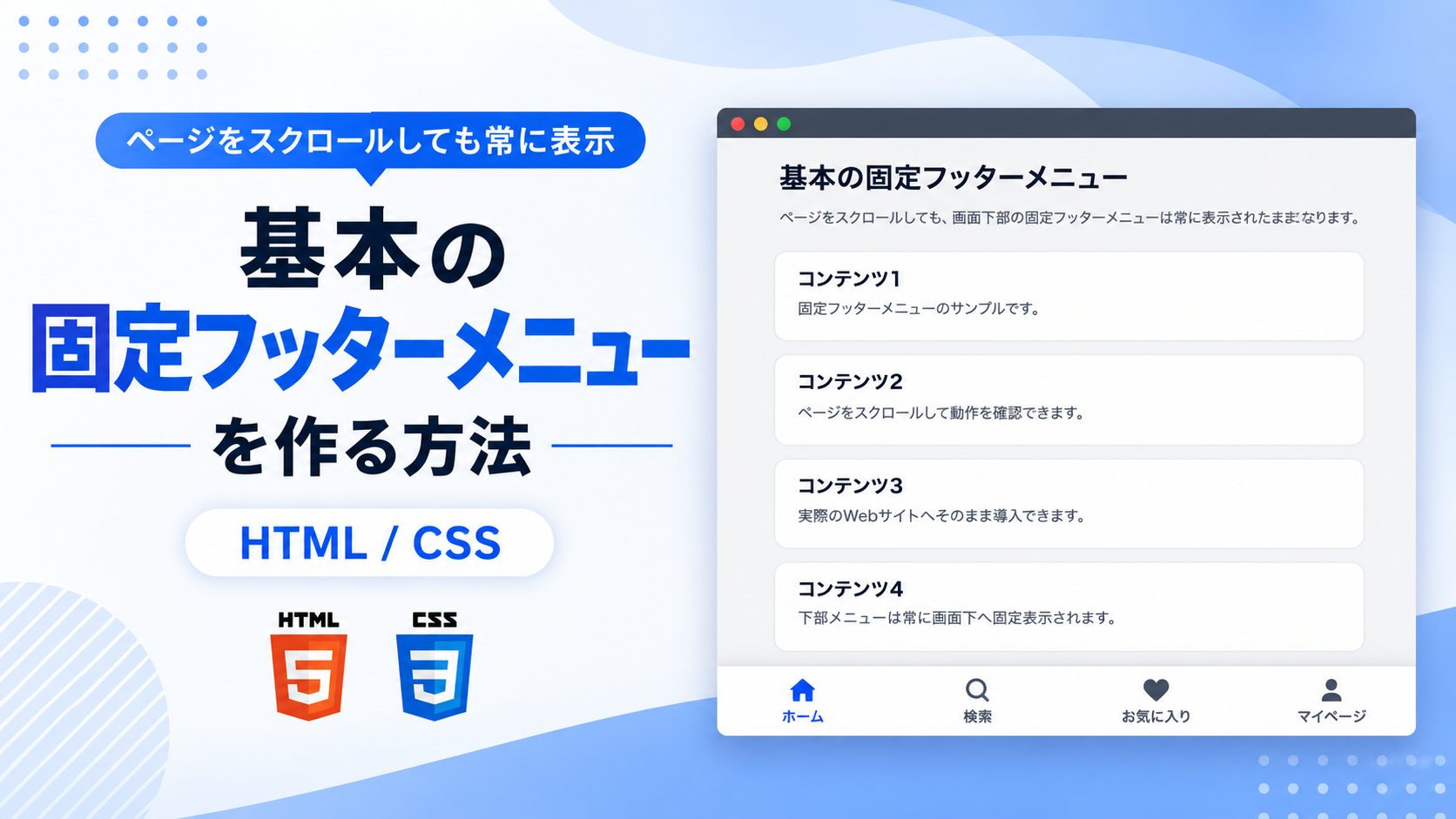
基本の固定フッターメニューを作る方法
基本の固定フッターメニューを作る方法を紹介します。このサンプルでは、HTMLとCSSだけを使用して、画面下部に固定表示されるシンプルなフッターメニューを作成します。ページをスクロールしても常に表示されるため、主要なページへ素早く移動できるナビゲーションとして利用できます。
ホーム・検索・お気に入り・マイページなどの主要なメニューを配置するスマートフォン向けサイトやWebアプリでよく利用されるレイアウトです。SVGアイコンとラベルを組み合わせることで、ひと目で目的のメニューが分かりやすく、直感的に操作できます。
メニュー名やリンク先はHTMLから変更でき、CSSでは背景色、アイコン色、文字色、サイズ、余白、高さなどを自由にカスタマイズできます。シンプルな構成なので、デザインのベースとしても利用しやすく、初心者でも導入しやすい固定フッターメニューです。
免責事項 本コードの利用により発生した損害について、当サイトは一切の責任を負いません。
デモ
デモ内をスクロールすると、固定フッターメニューが常に下部へ表示されることを確認できます。
コードをコピーして使おう!
<!DOCTYPE html>
<html lang="ja">
<head>

  <!-- 文字コード -->
  <meta charset="UTF-8">

  <!-- スマートフォン対応 -->
  <meta name="viewport" content="width=device-width, initial-scale=1.0">

  <!-- ページタイトル -->
  <title>基本の固定フッターメニュー</title>

  <!-- CSSファイル -->
  <link rel="stylesheet" href="style.css">

</head>
<body>

  <!-- メインコンテンツ -->
  <main class="basic-fixed-footer-content">

    <!-- タイトル -->
    <div class="basic-fixed-footer-title">
      基本の固定フッターメニュー
    </div>

    <!-- 説明文 -->
    <p class="basic-fixed-footer-text">
      ページをスクロールしても、画面下部の固定フッターメニューは常に表示されたままになります。
    </p>

    <!-- コンテンツカード -->
    <div class="basic-fixed-footer-card">
      <div class="basic-fixed-footer-card_title">コンテンツ1</div>
      <p>固定フッターメニューのサンプルです。</p>
    </div>

    <div class="basic-fixed-footer-card">
      <div class="basic-fixed-footer-card_title">コンテンツ2</div>
      <p>ページをスクロールして動作を確認できます。</p>
    </div>

    <div class="basic-fixed-footer-card">
      <div class="basic-fixed-footer-card_title">コンテンツ3</div>
      <p>実際のWebサイトへそのまま導入できます。</p>
    </div>

    <div class="basic-fixed-footer-card">
      <div class="basic-fixed-footer-card_title">コンテンツ4</div>
      <p>下部メニューは常に画面下へ固定表示されます。</p>
    </div>

    <div class="basic-fixed-footer-card">
      <div class="basic-fixed-footer-card_title">コンテンツ5</div>
      <p>固定フッターメニューを設置すると、主要なページへの移動をいつでも行えます。</p>
    </div>

    <div class="basic-fixed-footer-card">
      <div class="basic-fixed-footer-card_title">コンテンツ6</div>
      <p>ページ最下部までスクロールして、固定表示されるメニューを確認してください。</p>
    </div>

  </main>

  <!-- 固定フッターメニュー -->
  <nav class="basic-fixed-footer-menu" aria-label="固定フッターメニュー">

    <!-- ホーム -->
    <a href="#" class="basic-fixed-footer-menu_item">
      <svg viewBox="0 0 24 24" aria-hidden="true">
        <path d="M12 3 3 10h2v10h5v-6h4v6h5V10h2z"/>
      </svg>
      <span>ホーム</span>
    </a>

    <!-- 検索 -->
    <a href="#" class="basic-fixed-footer-menu_item">
      <svg viewBox="0 0 24 24" aria-hidden="true">
        <path d="M10 18a8 8 0 1 1 5.29-2l4.36 4.35-1.42 1.42-4.35-4.36A8 8 0 0 1 10 18zm0-2a6 6 0 1 0 0-12 6 6 0 0 0 0 12z"/>
      </svg>
      <span>検索</span>
    </a>

    <!-- お気に入り -->
    <a href="#" class="basic-fixed-footer-menu_item">
      <svg viewBox="0 0 24 24" aria-hidden="true">
        <path d="M12 21 2.8 11.8a5.5 5.5 0 1 1 7.8-7.8L12 5.4l1.4-1.4a5.5 5.5 0 1 1 7.8 7.8z"/>
      </svg>
      <span>お気に入り</span>
    </a>

    <!-- マイページ -->
    <a href="#" class="basic-fixed-footer-menu_item">
      <svg viewBox="0 0 24 24" aria-hidden="true">
        <path d="M12 12a4 4 0 1 0-4-4 4 4 0 0 0 4 4zm0 2c-3.3 0-6 1.8-6 4v2h12v-2c0-2.2-2.7-4-6-4z"/>
      </svg>
      <span>マイページ</span>
    </a>

  </nav>

</body>
</html>
ファイル構成と設置方法
このサンプルはHTMLとCSSの2ファイルで構成されています。HTMLではページ全体のレイアウト、コンテンツ、固定フッターメニューを作成し、CSSでは画面下部へ固定表示するレイアウトやデザインを設定しています。JavaScriptを使用せず、CSSのposition:fixed;を利用することで、ページをスクロールしても固定フッターメニューを常に画面下部へ表示できる構成です。
sample/
├── index.html
└── style.css
各ファイルの役割
index.htmlはページ全体を構成するファイルです。タイトル、説明文、コンテンツ、固定フッターメニュー、メニュー名、リンク先、SVGアイコンを編集できます。メニューのリンク先はhref属性を変更することで設定できます。
style.cssはページ全体と固定フッターメニューのデザインを設定するファイルです。背景色、文字色、余白、カードデザイン、固定メニューの高さ、アイコンサイズ、文字サイズ、ホバー時の色などを変更できます。
設置方法・使い方
sampleフォルダへindex.htmlとstyle.cssを配置します。2つのファイルを同じ階層へ保存したあと、ブラウザでsample/index.htmlを開いてください。ページをスクロールすると、固定フッターメニューが画面下部へ固定表示されたまま動作することを確認できます。
カスタマイズできる内容
index.htmlではタイトル、説明文、コンテンツ内容、メニュー名、リンク先、SVGアイコンを変更できます。用途に合わせてホーム、検索、カテゴリー、お問い合わせなど任意のメニューへ変更できます。
style.cssではページ全体の背景色、文字色、カードの背景色、余白、角丸、固定フッターメニューの高さ、アイコンサイズ、文字サイズ、ホバー時の色、影などを用途に合わせて自由に変更できます。
数値調整
style.css
max-width:900px;
コンテンツ全体の最大横幅です。値を大きくすると横へ広がり、小さくするとコンパクトになります。
padding:40px 20px 120px;
ページ全体の余白です。下側120pxを変更すると固定フッターメニューとの間隔が変わります。
font-size:32px;
タイトルの文字サイズです。値を大きくすると文字が大きくなり、小さくすると控えめになります。
margin-bottom:20px;
カード同士の間隔です。値を大きくするとカードの間隔が広がり、小さくすると狭くなります。
padding:20px;
カード内側の余白です。値を大きくすると余白が広がり、小さくするとコンパクトになります。
border-radius:12px;
カードの角丸です。値を大きくすると丸みが強くなり、0にすると四角になります。
height:76px;
固定フッターメニューの高さです。値を大きくするとメニュー全体が高くなり、小さくすると低く表示されます。
gap:6px;
アイコンとメニュー名の間隔です。値を大きくすると離れ、小さくすると近付きます。
width:24px; / height:24px;
SVGアイコンのサイズです。値を大きくするとアイコンが大きくなり、小さくするとコンパクトになります。
font-size:12px;
メニュー名の文字サイズです。値を大きくすると文字が大きくなり、小さくすると控えめになります。
transition:0.3s;
ホバー時に色が切り替わる時間です。0.3秒で変化します。値を大きくするとゆっくり、小さくすると速く切り替わります。
レスポンシブ対応
このサンプルはレスポンシブ対応です。style.cssのwidth:100%とmax-width:900pxにより画面幅に合わせてコンテンツが縮小されます。また、640px以下ではメディアクエリを使用して余白とタイトルサイズを調整しているため、スマートフォン・タブレット・PCで利用できます。
コメント