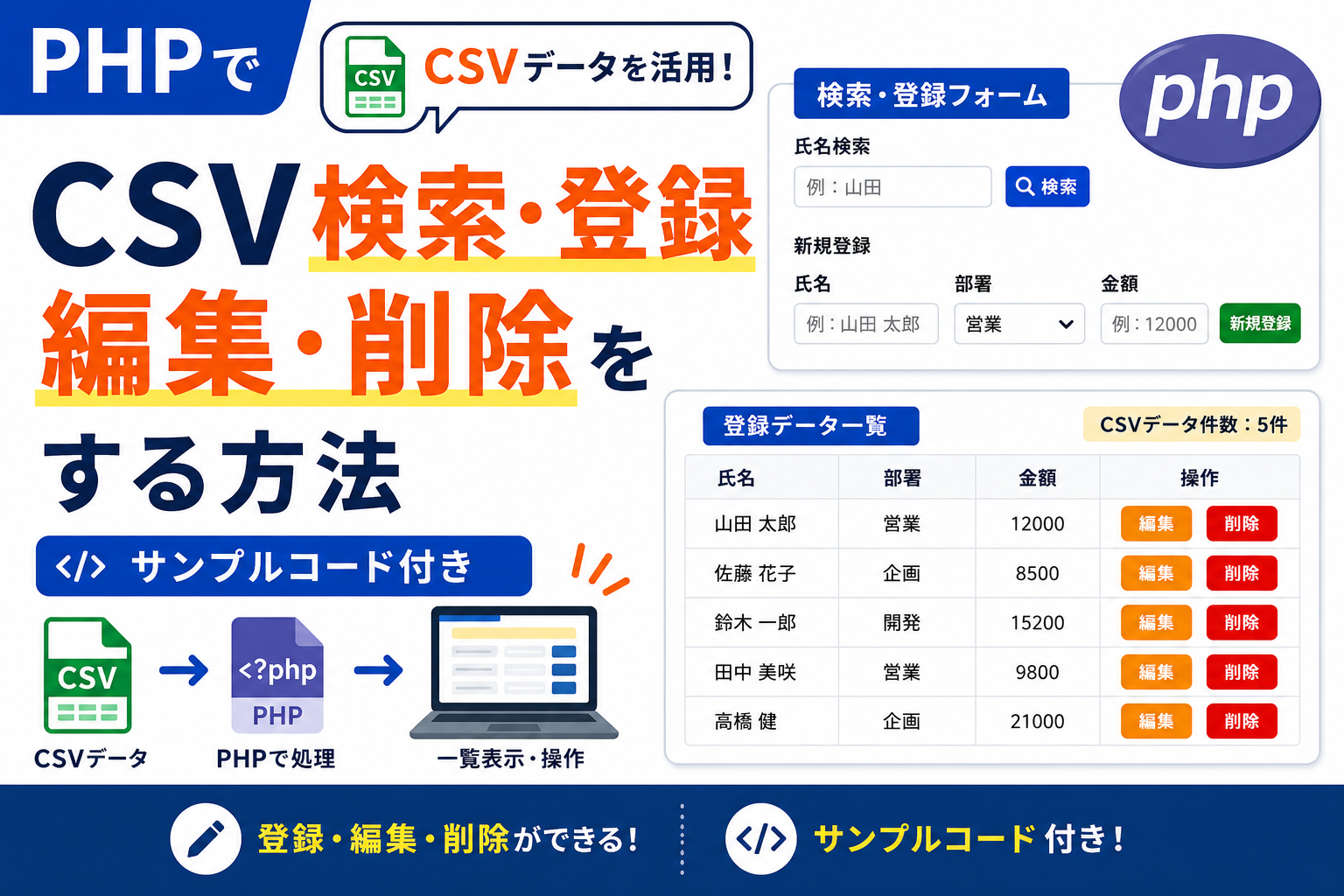
PHPでCSV検索・登録・編集・削除をする方法
PHPでCSVファイルを使い、データの検索・登録・編集・削除を行う方法を紹介します。CSVを簡易データベースとして利用し、一覧表示、キーワード検索、新規登録、既存データの編集、不要データの削除までを1つのサンプルで実装できます。データベースを使わずに小規模な管理画面を作りたい場合に使えるサンプルコードです。
コードについて
本記事のコードはサンプルコードです。ご利用前に必ず動作確認を行ってください。
免責事項 本コードの利用により発生した損害について、当サイトは一切の責任を負いません。
免責事項 本コードの利用により発生した損害について、当サイトは一切の責任を負いません。
デモ
検索
新規登録
CSVデータ件数:5件
| 氏名 | 部署 | 金額 | 操作 |
|---|---|---|---|
| 山田 太郎 | 営業 | 12000 |
|
| 佐藤 花子 | 企画 | 8500 |
|
| 鈴木 一郎 | 開発 | 15200 |
|
| 田中 美咲 | 営業 | 9800 |
|
| 高橋 健 | 企画 | 21000 |
|
データ編集
コードをコピーして使おう!
<?php

$csv_file = 'data.csv';

$rows = [];

if (file_exists($csv_file)) {

    if (($fp = fopen($csv_file, 'r')) !== false) {

        while (($row = fgetcsv($fp)) !== false) {
            $rows[] = $row;
        }

        fclose($fp);

    }

}

if (
    $_SERVER['REQUEST_METHOD'] === 'POST' &&
    isset($_POST['action'])
) {

    $action = $_POST['action'];

    if ($action === 'add') {

        $name = trim($_POST['name'] ?? '');
        $dept = trim($_POST['dept'] ?? '');
        $price = trim($_POST['price'] ?? '');

        if ($name !== '' && $price !== '') {

            $rows[] = [
                $name,
                $dept,
                $price
            ];

        }

    }

    if (
        $action === 'edit' &&
        isset($_POST['index'])
    ) {

        $index = (int)$_POST['index'];

        $name = trim($_POST['name'] ?? '');
        $dept = trim($_POST['dept'] ?? '');
        $price = trim($_POST['price'] ?? '');

        if (
            isset($rows[$index]) &&
            $name !== '' &&
            $price !== ''
        ) {

            $rows[$index] = [
                $name,
                $dept,
                $price
            ];

        }

    }

    if (
        $action === 'delete' &&
        isset($_POST['index'])
    ) {

        $index = (int)$_POST['index'];

        if (isset($rows[$index])) {
            array_splice($rows, $index, 1);
        }

    }

    $fp = fopen($csv_file, 'w');

    foreach ($rows as $row) {
        fputcsv($fp, $row);
    }

    fclose($fp);

    header('Location: '.$_SERVER['PHP_SELF']);
    exit;

}

$keyword = trim($_GET['keyword'] ?? '');

$display_rows = [];

foreach ($rows as $index => $row) {

    if (
        $keyword === '' ||
        mb_strpos($row[0] ?? '', $keyword) !== false
    ) {

        $display_rows[] = [
            'index' => $index,
            'data' => $row
        ];

    }

}

?>
<!DOCTYPE html>
<html lang="ja">
<head>
<meta charset="UTF-8">
<title>CSV検索・登録・編集・削除</title>

<style>

body{
  font-family:sans-serif;
  margin:20px;
}

.crud-wrap{
  border:1px solid #e5e7eb;
  border-radius:20px;
  padding:24px;
  background:#fff;
}

.crud-area{
  margin-bottom:20px;
}

.crud-title{
  font-weight:700;
  margin-bottom:10px;
}

.crud-form{
  display:flex;
  gap:12px;
  flex-wrap:wrap;
  align-items:end;
}

.field{
  display:flex;
  flex-direction:column;
  gap:6px;
  width:220px;
}

label{
  font-weight:700;
}

input,
select{
  width:100%;
  box-sizing:border-box;
  padding:10px 12px;
  border:1px solid #d1d5db;
  border-radius:10px;
}

.btn{
  height:42px;
  padding:0 18px;
  border:none;
  border-radius:10px;
  color:#fff;
  cursor:pointer;
}

.btn-search{
  background:#0b6bff;
}

.btn-add{
  background:#16a34a;
}

.btn-edit{
  background:#f97316;
}

.btn-delete{
  background:#dc2626;
}

.btn-cancel{
  background:#6b7280;
}

.count-box{
  margin-bottom:20px;
  padding:18px;
  border:1px solid #e5e7eb;
  border-radius:14px;
  background:#f8fafc;
  font-size:20px;
  font-weight:700;
}

table{
  width:100%;
  border-collapse:collapse;
}

th,
td{
  border:1px solid #e5e7eb;
  padding:12px;
  text-align:left;
}

th{
  background:#f8fafc;
}

.table-actions{
  display:flex;
  gap:8px;
  flex-wrap:wrap;
}

.modal-layer{
  position:fixed;
  inset:0;
  display:none;
  align-items:center;
  justify-content:center;
  background:rgba(15,23,42,.55);
  z-index:9999;
}

.modal-layer.is-open{
  display:flex;
}

.modal-box{
  width:min(520px,90vw);
  background:#fff;
  border-radius:20px;
  padding:24px;
  box-shadow:0 20px 60px rgba(0,0,0,.25);
}

.modal-title{
  font-size:20px;
  font-weight:700;
  margin-bottom:16px;
}

.modal-form{
  display:flex;
  flex-direction:column;
  gap:12px;
}

.modal-actions{
  display:flex;
  gap:10px;
  flex-wrap:wrap;
  margin-top:4px;
}

</style>

</head>
<body>

<div class="crud-wrap">

  <div class="crud-area">

    <div class="crud-title">
      検索
    </div>

    <form method="get" class="crud-form" onsubmit="if(document.getElementById('keyword').value.trim()===''){alert('検索キーワードを入力してください。');document.getElementById('keyword').focus();return false;}">

      <div class="field">
        <label>氏名検索</label>
        <input
          type="text"
          id="keyword"
          name="keyword"
          placeholder="例:山田"
          value="<?= htmlspecialchars($keyword, ENT_QUOTES, 'UTF-8') ?>">
      </div>

      <button type="submit" class="btn btn-search">
        検索
      </button>

    </form>

  </div>

  <div class="crud-area">

    <div class="crud-title">
      新規登録
    </div>

    <form method="post" class="crud-form" onsubmit="if(document.getElementById('addName').value.trim()===''){alert('氏名を入力してください。');document.getElementById('addName').focus();return false;}if(document.getElementById('addPrice').value.trim()===''){alert('金額を入力してください。');document.getElementById('addPrice').focus();return false;}">

      <input type="hidden" name="action" value="add">

      <div class="field">
        <label>氏名</label>
        <input type="text" id="addName" name="name" placeholder="例:山田 太郎">
      </div>

      <div class="field">
        <label>部署</label>
        <select name="dept">
          <option value="営業">営業</option>
          <option value="企画">企画</option>
          <option value="開発">開発</option>
        </select>
      </div>

      <div class="field">
        <label>金額</label>
        <input type="number" id="addPrice" name="price" placeholder="例:12000">
      </div>

      <button type="submit" class="btn btn-add">
        新規登録
      </button>

    </form>

  </div>

  <div class="count-box">
    CSVデータ件数:<span><?= count($display_rows) ?></span>件
  </div>

  <table>
    <thead>
      <tr>
        <th>氏名</th>
        <th>部署</th>
        <th>金額</th>
        <th>操作</th>
      </tr>
    </thead>

    <tbody>

      <?php foreach ($display_rows as $item): ?>

      <?php
        $index = $item['index'];
        $row = $item['data'];
      ?>

      <tr>
        <td><?= htmlspecialchars($row[0] ?? '', ENT_QUOTES, 'UTF-8') ?></td>
        <td><?= htmlspecialchars($row[1] ?? '', ENT_QUOTES, 'UTF-8') ?></td>
        <td><?= htmlspecialchars($row[2] ?? '', ENT_QUOTES, 'UTF-8') ?></td>
        <td>
          <div class="table-actions">

            <button
              type="button"
              class="btn btn-edit"
              data-index="<?= $index ?>"
              data-name="<?= htmlspecialchars($row[0] ?? '', ENT_QUOTES, 'UTF-8') ?>"
              data-dept="<?= htmlspecialchars($row[1] ?? '', ENT_QUOTES, 'UTF-8') ?>"
              data-price="<?= htmlspecialchars($row[2] ?? '', ENT_QUOTES, 'UTF-8') ?>">
              編集
            </button>

            <form method="post" onsubmit="return confirm('本当に削除しますか?');">
              <input type="hidden" name="action" value="delete">
              <input type="hidden" name="index" value="<?= $index ?>">

              <button type="submit" class="btn btn-delete">
                削除
              </button>
            </form>

          </div>
        </td>
      </tr>

      <?php endforeach; ?>

    </tbody>
  </table>

</div>

<div class="modal-layer" id="editModal">
  <div class="modal-box">

    <div class="modal-title">
      データ編集
    </div>

    <form method="post" class="modal-form" id="editForm">

      <input type="hidden" name="action" value="edit">
      <input type="hidden" name="index" id="editIndex">

      <div class="field">
        <label>氏名</label>
        <input type="text" id="editName" name="name">
      </div>

      <div class="field">
        <label>部署</label>
        <select id="editDept" name="dept">
          <option value="営業">営業</option>
          <option value="企画">企画</option>
          <option value="開発">開発</option>
        </select>
      </div>

      <div class="field">
        <label>金額</label>
        <input type="number" id="editPrice" name="price">
      </div>

      <div class="modal-actions">
        <button type="submit" class="btn btn-edit">
          更新する
        </button>

        <button type="button" class="btn btn-cancel" id="cancelBtn">
          キャンセル
        </button>
      </div>

    </form>

  </div>
</div>

<script>
(()=>{
  const editModal=document.getElementById('editModal');
  const editIndex=document.getElementById('editIndex');
  const editName=document.getElementById('editName');
  const editDept=document.getElementById('editDept');
  const editPrice=document.getElementById('editPrice');
  const editForm=document.getElementById('editForm');
  const cancelBtn=document.getElementById('cancelBtn');

  document.querySelectorAll('.btn-edit[data-index]').forEach(btn=>{

    btn.addEventListener('click',()=>{

      editIndex.value=btn.dataset.index;
      editName.value=btn.dataset.name;
      editDept.value=btn.dataset.dept;
      editPrice.value=btn.dataset.price;

      editModal.classList.add('is-open');

    });

  });

  editForm.addEventListener('submit',(event)=>{

    if(editName.value.trim()===''){
      alert('氏名を入力してください。');
      editName.focus();
      event.preventDefault();
      return;
    }

    if(editPrice.value.trim()===''){
      alert('金額を入力してください。');
      editPrice.focus();
      event.preventDefault();
      return;
    }

  });

  cancelBtn.addEventListener('click',()=>{
    editModal.classList.remove('is-open');
  });

  editModal.addEventListener('click',(event)=>{

    if(event.target===editModal){
      editModal.classList.remove('is-open');
    }

  });

})();
</script>

</body>
</html>
コードをコピーする場合
使用するコードのタブを選び、「このタブをコピー」をクリックすると、現在表示中のコードをコピーできます。
サンプル一式を取得する場合 HTML・CSSなどすべてのファイルが必要な場合は、「サンプル一式をダウンロード」をクリックしてください。
サンプル一式を取得する場合 HTML・CSSなどすべてのファイルが必要な場合は、「サンプル一式をダウンロード」をクリックしてください。
Q ダウンロードしたけど、これをネット上で動かすにはどうするの?
A
Googleアカウントがあれば、InfinityFreeで無料サーバーを作成して、ダウンロードしたサンプルをネット上で動かせます。
InfinityFreeを初めて利用する場合は①から、すでにサーバーを作成している場合は②へ進んでください。
ファイル構成と設置方法
このサンプルで使用するファイル構成です。
index.php と data.csv を同じフォルダ(同じ階層)へ配置してください。
sample/
├─ index.php
└─ data.csv
data.csv に保存されたデータを読み込み、検索・登録・編集・削除を行います。登録、編集、削除を実行すると data.csv の内容が更新されます。
サーバーへ設置する場合は、上記ファイルを同じフォルダ(同じ階層)へアップロードしてください。
PHPはサーバー上で実行されるため、PHPファイルをダブルクリックしても動作しません。動作確認はレンタルサーバーへアップロードするか、PHPが利用できるローカル環境で行ってください。
.png)
コメント